
Your microwave hums, the turntable spins, the light comes on — but the food comes out cold. Here’s what’s actually going wrong, which fixes you can try yourself, and when it’s time to call in a professional. Few appliance problems are as quietly maddening as a microwave that runs perfectly but refuses to heat. Everything looks fine from the outside. You press start, you wait, you open the door — and your leftovers are still stone cold. At Dewdney Appliance Repair, we hear this one regularly from homeowners across Mission, and the good news is that a no-heat microwave doesn’t always mean a dead microwave. Mission’s mix of older ranch-style homes and newer builds means we see everything from ancient countertop units to high-end built-in models. The causes of a no-heat problem are usually the same regardless of the appliance’s age, though older units do tend to push past their limits faster, especially if they’ve been running hard for a decade or more.
Key takeaways
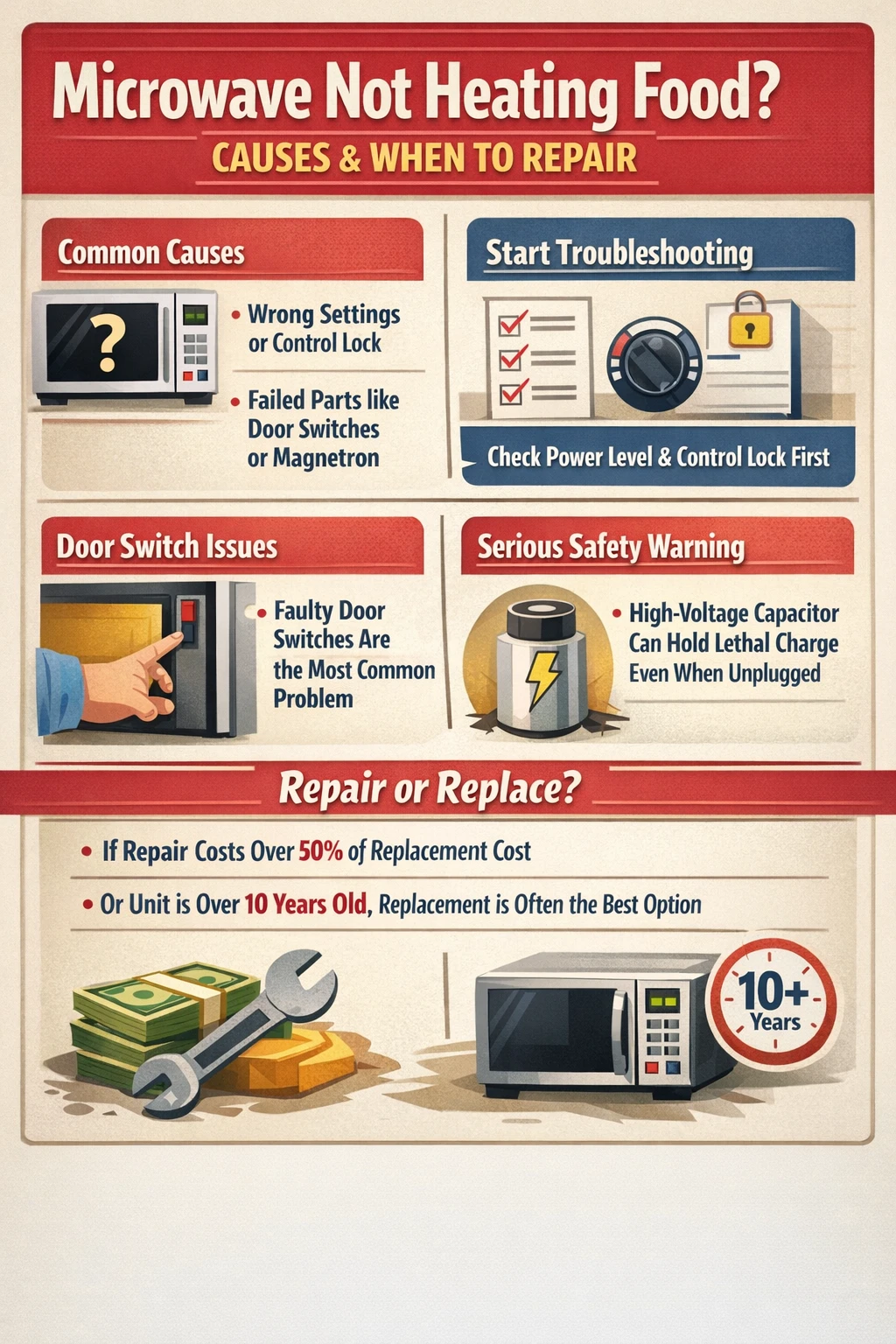
- A microwave that runs but doesn’t heat is almost always caused by one of six things: a settings issue, a faulty door switch, a blown thermal fuse, a defective high-voltage diode, a bad capacitor, or a failed magnetron.
- Start with the simplest explanations first. Power level, control lock, and demo mode can all make your microwave appear broken when it isn’t.
- Door switch failures are one of the most common mechanical causes we see, and the part itself is usually inexpensive.
- Magnetron replacement typically runs $100-$200 in parts alone, which makes repair cost versus replacement cost worth doing the math on before you commit.
- The high-voltage capacitor inside a microwave can hold a lethal charge even after the unit is unplugged. Internal repairs should go to a qualified technician.
- If your microwave is more than 10 years old and the repair estimate exceeds half the cost of a new unit, replacement is usually the smarter call.
Why your microwave isn’t heating
A microwave that won’t heat is almost always either a settings problem or a failed internal component. The turntable runs and the display works because those systems run on standard low-voltage power. Heating is a separate process entirely. It depends on a chain of high-voltage components working together in sequence. If any link in that chain breaks, you get a microwave that does everything except the one thing you need it to do. The component responsible for actually producing heat is called the magnetron. It generates the electromagnetic waves that excite water molecules in your food, which is what creates heat. The magnetron is powered by a high-voltage circuit that includes a capacitor, a diode, and a transformer, all working together. If the magnetron itself fails, or if any of those supporting components go down, the result is the same: a microwave that spins and lights up and does absolutely nothing useful. Before assuming the worst, though, it’s worth working through the simple stuff. We’ve seen plenty of service calls that turned out to be a power level accidentally set to 10 percent, or a control lock engaged by a curious kid. Spend two minutes ruling those out before you start worrying about the magnetron. 
Start here: settings issues that mimic a broken microwave
These are the things to check before anything else, because they’re free to fix and take about thirty seconds. First, check the power level. Most microwaves offer between five and ten power settings. If yours got bumped down to level one or two, sometimes by a stray button press, it may be running so low that food barely warms. Set it back to 100 percent and try again. Second, look for a control lock or demo mode. Control lock prevents the unit from operating during cleaning and is usually shown as “LOC” or “L” on the display. Demo mode is sneakier. It’s designed for showroom floors and lets the microwave go through all its motions (fan, turntable, light) without actually activating the magnetron. Either mode can make the appliance look fully functional while heating nothing at all. Your owner’s manual will show you how to disable both. If you’ve lost the manual, the model number on the door frame will get you a PDF version on the manufacturer’s website in about a minute. Third, check whether a delay start is engaged. Some models let you pre-set a cooking cycle to begin later. If that timer is running, pressing start won’t do anything until the countdown finishes.
Faulty door switches: the most common mechanical culprit
Once you’ve ruled out settings issues, the door switch is the next place to look. Microwaves have multiple door switches, usually two or three, that form a safety interlock system. The unit simply will not activate the heating circuit unless all of those switches register the door as fully closed. It’s a deliberate design, and it’s there for good reason. When one switch fails, the microwave often behaves in a confusing way. The light, fan, and turntable may all work normally because those functions run on a separate circuit. But the heating circuit stays off. You might also notice that the interior light doesn’t behave quite right, staying on when the door closes, or not coming on when it opens. That’s a clue. Door switch failures are genuinely common. The switches cycle thousands of times over a microwave’s life, and the plastic components wear down. In our experience, this is one of the first things a technician will check when a customer describes a microwave that runs but doesn’t heat. The switches themselves are inexpensive parts on most models. The labor to replace them is usually straightforward too, though it does involve removing the control panel and dealing with the wiring behind it, which is why we’d still recommend having a professional handle it rather than going in blind. 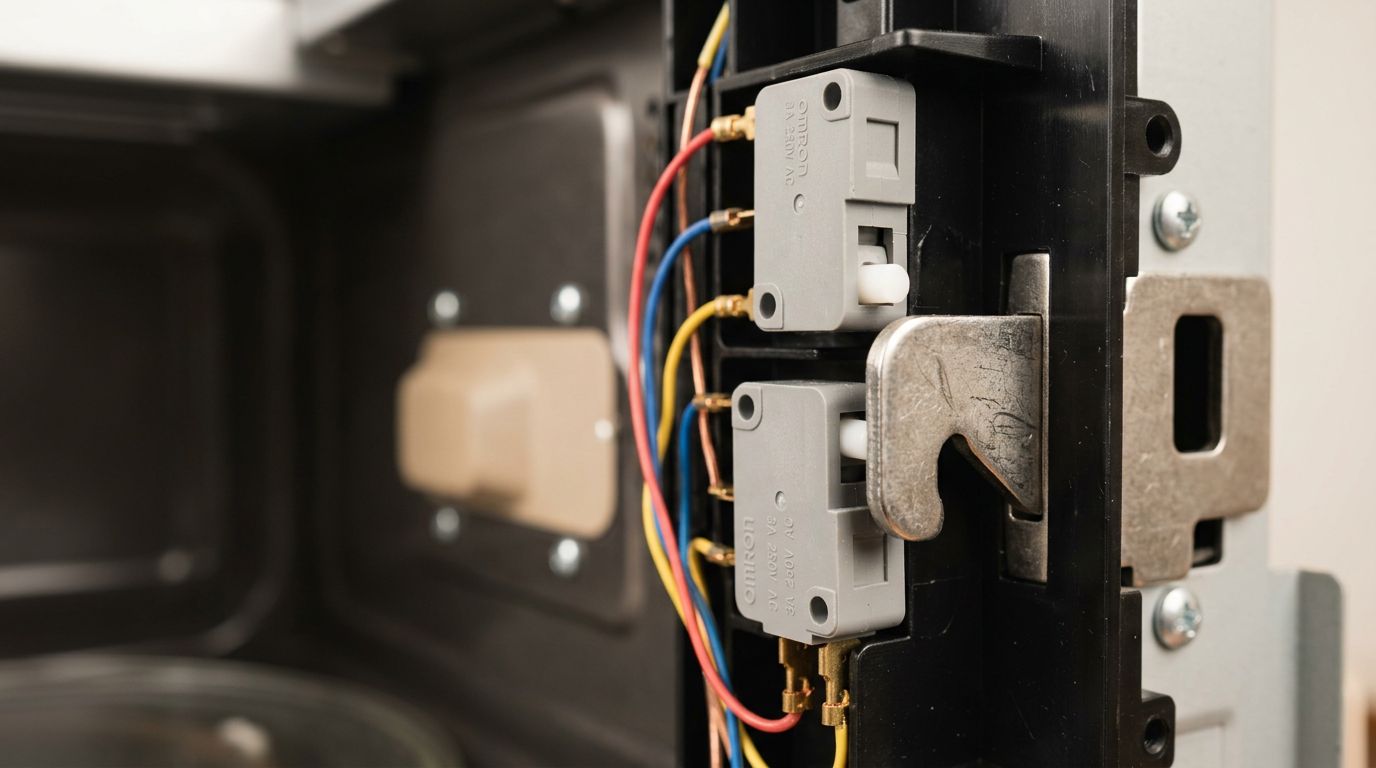
The high-voltage components: diode, capacitor, and magnetron
If the door switches are fine, the problem is almost certainly deeper in the high-voltage circuit. This is where the conversation shifts from “things you might tackle yourself” to “things you should leave alone.” The high-voltage diode converts the power coming from the transformer into the direct current the magnetron needs to operate. When a diode fails, it often shows visible signs, burn marks, a cracked casing, sometimes a faint burning smell. A working diode shows continuity in one direction when tested with a multimeter; a failed one either shows continuity in both directions or neither. Replacing it isn’t wildly complicated if you know what you’re doing, but here’s the problem: right next to the diode sits the high-voltage capacitor. That capacitor stores an electrical charge that can be genuinely lethal, even after the microwave has been unplugged. The charge doesn’t dissipate on its own immediately, and it can remain dangerous for a significant period. A former Whirlpool technician noted in a well-known forum discussion that microwaves were the only appliance category where the company prohibited technical staff from offering DIY repair advice, specifically because of this hazard. That’s not a liability disclaimer. It’s a real safety concern. The magnetron itself is the last piece to consider. When it fails, the microwave often blows a thermal fuse at the same time. Magnetrons can’t be repaired. They’re replaced as a unit. Parts typically run $100 to $200, and that’s before labor. For a basic countertop microwave that cost $150 new, that math doesn’t work in favor of repair. For a higher-end built-in or over-the-range model, it often does. 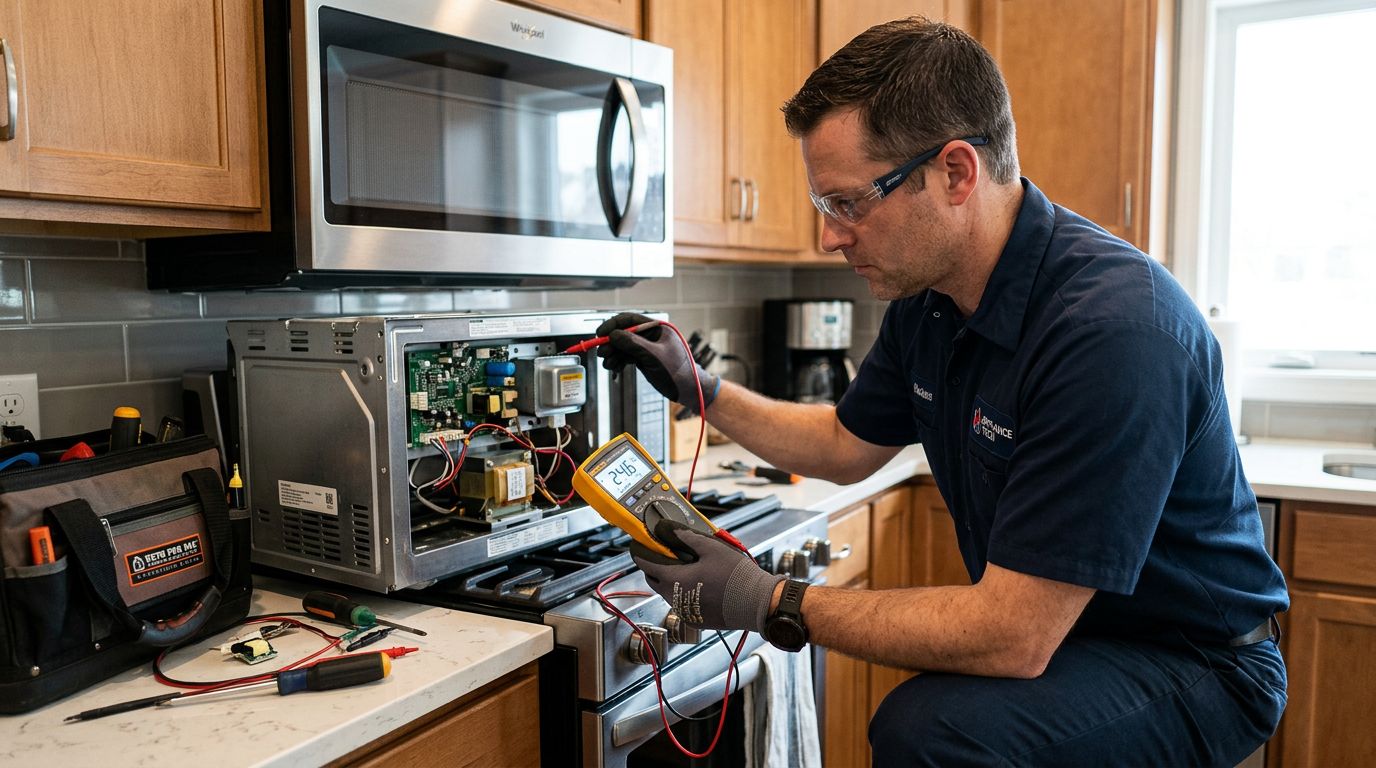
When to repair versus when to replace
This is the question everyone eventually asks, and the honest answer is that it depends on the appliance’s age and the cost of the repair. A general guideline that holds up pretty well: if the repair estimate is more than 50 percent of the cost of a comparable replacement, it’s usually better to replace. For a simple door switch fix, you’re well under that threshold on almost any microwave. For a magnetron replacement on a basic unit, you may already be past it. Age matters too. Magnetrons are typically rated for around 2,000 hours of use. For most households, that works out to somewhere between seven and twelve years. If your microwave is already in that range and the magnetron goes, you’re not just paying to fix the current problem. You’re paying to extend the life of an appliance that’s already near the end of its useful run. Other components are aging alongside the magnetron. Built-in and over-the-range models are a different calculation. Replacing them involves buying the appliance, potentially a trim kit (often $100 to $200 on its own), and paying for installation. In those cases, repair often makes more financial sense even when the parts cost is significant. We see this a lot with built-in units in the Hatzic and Silverdale areas, where homes tend to have custom cabinetry that makes a swap considerably more involved than pulling out a countertop unit. One more thing worth saying plainly: if you’re renting and the microwave came with the unit, this is your landlord’s problem, not yours. Document the issue, report it in writing, and let them arrange the repair or replacement.
Microwave troubleshooting steps you can safely do yourself
There are things you can check without any risk, and things you absolutely shouldn’t touch. Here’s where the line sits. Safe to do yourself:
- Check the power level setting and reset it to 100 percent.
- Disable control lock mode by consulting your owner’s manual (usually a button held for three to five seconds).
- Turn off demo mode if it’s engaged.
- Cancel any active delay start timer.
- Unplug the microwave for ten minutes, then plug it back in. This resets the control board and clears minor error states.
- Inspect the door seal and latch for obvious physical damage, food debris, or warping that might prevent a proper close.
- Check your home’s breaker panel to make sure the circuit hasn’t tripped.
Not safe to do yourself unless you have specific electrical training:
- Anything that requires removing the outer casing.
- Testing or replacing the door switches (involves the wiring harness and proximity to internal components).
- Any work near or on the capacitor, diode, transformer, or magnetron.
The reason the line sits where it does isn’t about being overly cautious. The capacitor in a standard residential microwave stores charge at voltages that can cause cardiac arrest on contact. Unlike most home appliances, unplugging it doesn’t immediately make it safe to work on. For reference, information from GE and Samsung’s own technical documentation recommends that internal microwave repairs be performed only by qualified service technicians. That’s consistent advice across manufacturers, and it’s worth taking seriously. If you want to dig deeper into how microwave safety systems are designed, the U.S. Department of Energy’s appliance guidance and resources from manufacturers like Samsung’s support documentation are good starting points for understanding what you’re working with.
Frequently asked questions
People dealing with a microwave that won’t heat tend to have the same questions, and a few of them are worth answering directly rather than leaving you to dig through a manual.
Is there a reset button on a microwave?
Most microwaves don’t have a dedicated reset button. The practical equivalent is unplugging the unit for about ten minutes, which clears the control board’s memory and cancels any error states. On some KitchenAid models, there’s a more formal reset process: clear any display codes, unplug for one minute, plug back in, then heat one cup of cold water for two minutes at full power. If the water heats, the reset worked. Check your specific model’s documentation for any similar procedure.
Can I repair a microwave myself?
For settings-related problems, yes. Those involve no disassembly and no risk. For mechanical problems inside the casing, the honest answer is that it’s not a good idea unless you have electrical training and understand how to safely discharge a high-voltage capacitor. The consequences of getting it wrong aren’t a fried circuit board. They’re a potentially fatal shock. Most appliance repair professionals will tell you microwaves are the one category where DIY troubleshooting has a hard stop at the outer shell.
How do I know if my magnetron is failing?
The clearest signs are a microwave that runs completely normally in every other way but produces no heat at all, or one that heats very weakly and inconsistently. Sometimes a failing magnetron also causes a blown thermal fuse, which cuts power entirely. A burning smell during operation can also indicate magnetron problems, though that symptom has other possible causes too. A qualified technician can test the magnetron directly with a multimeter. It’s not something you can diagnose reliably from the outside.
Why does my microwave heat unevenly?
Uneven heating is usually a different problem than no heating at all. The turntable and its drive motor are responsible for rotating food through the microwave field so it heats evenly. If the turntable isn’t rotating properly, hot and cold spots become obvious. Uneven heating can also result from a magnetron that’s beginning to fail but hasn’t gone completely. It produces inconsistent microwave output rather than none at all. Running the microwave while empty can damage the magnetron faster, so if yours is heating inconsistently, avoid that habit until the issue is sorted.
How much does microwave repair typically cost?
A basic service call and diagnosis generally runs somewhere between $75 and $100 before any parts. Door switch replacement is usually a relatively modest repair. Magnetron replacement, including labor, often lands in the $150 to $300 range depending on the model and the part. For context, a decent countertop microwave starts around $150 to $200 new. Do the math for your specific situation before agreeing to a repair estimate.
Wrapping up
A microwave that won’t heat is usually fixable, but “fixable” doesn’t always mean “worth fixing.” Start with the settings checks, because they cost nothing and occasionally solve the problem entirely. If it’s a mechanical issue, door switches are the most common culprit and often the most cost-effective repair. Anything involving the high-voltage components inside the casing should go to a professional, full stop. And if the unit is older and the repair estimate is climbing toward half the cost of a replacement, it’s worth being honest with yourself about the math. At Dewdney Appliance Repair, we handle microwave repairs and a full range of appliance work across Mission and the surrounding area, from Stave Falls to Ruskin and beyond. If you’re not sure whether your microwave is worth repairing or you’d rather have someone else figure out what’s wrong, give us a call and we’ll help you make sense of it.
